Pages

Wednesday, July 5, 2017

10 Design Tools You Aren’t Using (But Should Be!)

10 Design Tools You Aren't Using (But Should Be!)

It seems like a flood of new design tools hits the market almost every day. How many times have you downloaded software with promise only to find you quit using it after a couple of logins?

That's not the case with the tools in this list. We've collected some of the best design tools around – some free, some paid – that you're going to love to use. And we'd bet good money that you've never heard of several of them!

1. Adobe Spark

Adobe Spark is a little web app that helps you create elements to promote your work quickly and with ease. From simple web pages to social media graphics (that are sized perfectly) to simple videos or a meme, this tool has everything you need in one place.

It's packed with starter elements, such as cool bits of typography and background images. The best part really is that you can pop your photos or text in and whip out a shareable element in minutes. (Plus, you can share right from the spark app.) It's the go-to tool for promoting your design work without spending a lot of time on it. As an added bonus, it also includes an app for on-the-go creation.

Cost: Free; Adobe Creative Cloud users get a few additional features and whitelabel branding.

2. Invoicely

Billing and invoicing is one of the least fun parts of doing freelance work or owning a small agency. Invoicely is an easy to use invoicing tool that allows you to keep track of clients and billing in just a few minutes a day. You can also accept payments, track time and expenses and everything is viewable in easy reports. (It almost feels like you've hired a bookkeeper!)

Plus, the design is sleek so you know every client will get an invoice that looks great as well.

Cost: Free basic plan; full feature plans start at $9.99 per month

3. WebGradients

We've already established that gradients are back, and might be one of the biggest design trends of 2017.  WebGradients is a tool to help you create stylish, trendy and beautiful gradients for projects without making a misstep into a garish color palette.

The website includes a collection of 180 linear gradients that you can use as content backdrops in any part of your website. Just copy CSS3 crossbrowser code or download a .PNG version. As a bonus, there are packs for Sketch and Photoshop.

Cost: Free

4. Figma

Figma is a collaborative prototyping app for teams. What's nice about the tool is it allows you to design everything in-browser. There are no uploads, downloads or worries about working with the wrong version. Figma also has a presentation mode – all you need to do is share the link – to showcase projects to clients or other team members.

Imagine this: While you are working on the app design, a copywriter can write microcopy and a developer can examine usability … all at the same time. This is why Figma is growing in use.

Cost: Free starter account; starting at $12 per month for teams

5. Font Map

Looking for a typeface can be a tough task. IDEO's Font Map uses artificial intelligence to create a font-based visualization that's pretty cool. You can see more than 750 typefaces almost at a glance and find similar typefaces.

Click on any letter in the map to jump to that typeface and then link to Google Fonts if you want to use it.

Cost: Free

6. Unsplash

Unsplash is a stock photography website, where none of the images look like cliché stock. Curated like an art gallery Unsplash images have a distinct style that's easy to use and is updated constantly.

Plus, every photo on the site is free to use, however you want to use it. Developers can also take advantage of the Unsplash API to include photos in a number of projects (all you have to do is register).

Cost: Free, but always share the love with Creative Commons attribution

7. Calligraphr

Have you ever needed lettering that you couldn't find but could sketch out on paper? This little app turns your handwriting into a font that you can use in projects.

While this isn't a tool you'd likely use all the time, it can be a fun way to add a little something special to a project.

Cost: Free for one font at a time

8. Vectr

Vectr is fairly new, but is a valuable tool for any designer that wants to create vector-based files. The tool allows users to create vector graphics in a cross-platform environment – desktop or cloud-based. Design logos, cards, brochures, website mockups, presentations or anything you can imagine with a quick-to-learn interface.

Here's the best part, Vectr allows you to share designs in real-time to make collaboration a breeze, even if you aren't working with people in the same location.

Cost: Free

9. Google Charts

Google Charts allows you to display live data on your websites, desktop and mobile. Charts are clean, easy to read and include powerful interactive tools that work in today's ever-changing data landscape.

Everything is customizable and there are plenty of chart options to choose from. The best part is that data can work live, in real-time with data connection tools and protocols in Google's interactive dashboard.

Cost: Free

10. Favicon Generator

Don't forget the favicon! These tiny elements can be frustrating to create and ensure working order across all browser types. Favicon Generator is a little web-based tool that will let you check your favicon to see if it can be improved or will generate a favicon using an image.

The tool tests and creates favicons for all browsers, iOS, Android, Windows Metro and more. Plus, it only takes two clicks to use.

Cost: Free

Conclusion

There's no shame in using design tools to speed up workflows and make designing and working with clients easier. Some designers get stuck in the I-must-create-everything-from-scratch mindset and sometimes that can stall projects.

Use tools smartly so that they help in areas where you need to move with agility. Try these out to get started; hopefully you'll find a tool or two to make your design life easier.


Source: 10 Design Tools You Aren't Using (But Should Be!)

Tuesday, July 4, 2017

Top 10 Best Web Browsers 2017, You Should Install Right Now

We all know that web browser is probably the most important tool you have installed on your PC. Hence, today we will present a list of 10 best browsers that you should try in 2017,  considering the features they offer.

Top 10 Best Web Browsers 2017, You Should Install Right Now

The browser is probably the most important tool you have installed on your PC. In this segment, there are several options, but the market is essentially dominated by Google Chrome and Mozilla Firefox.

Today we will show you a list of 10 web browsers that you should try in 2017, considering the features they offer.

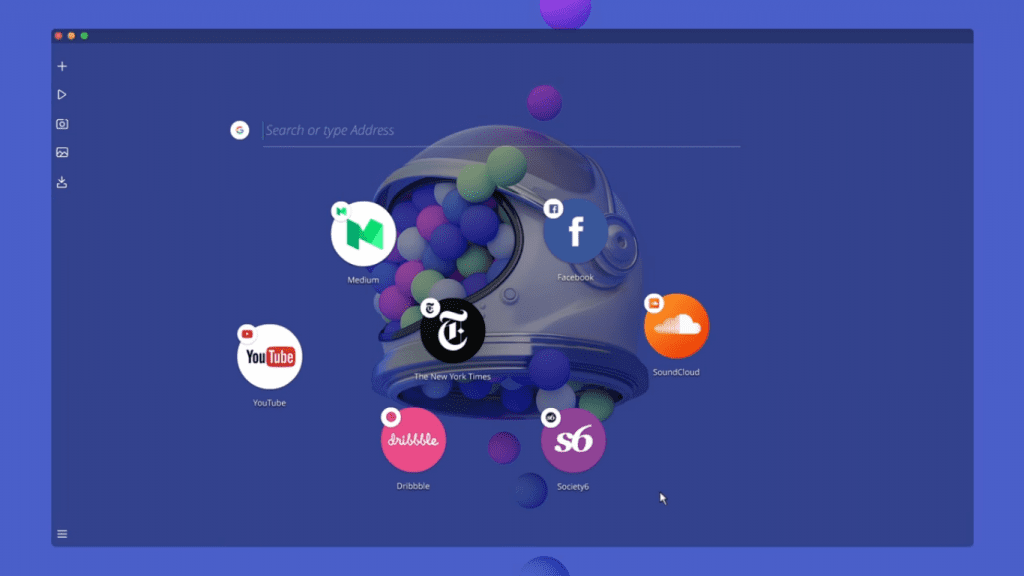
#1 Opera Neon Opera NeonOpera Neon

It's called Opera Neon and achievement of immediate users only with its elegance and modernity. With this browser, the tabs will no longer exist, and a set of icons will be available. The search is also done directly from the browser environment.

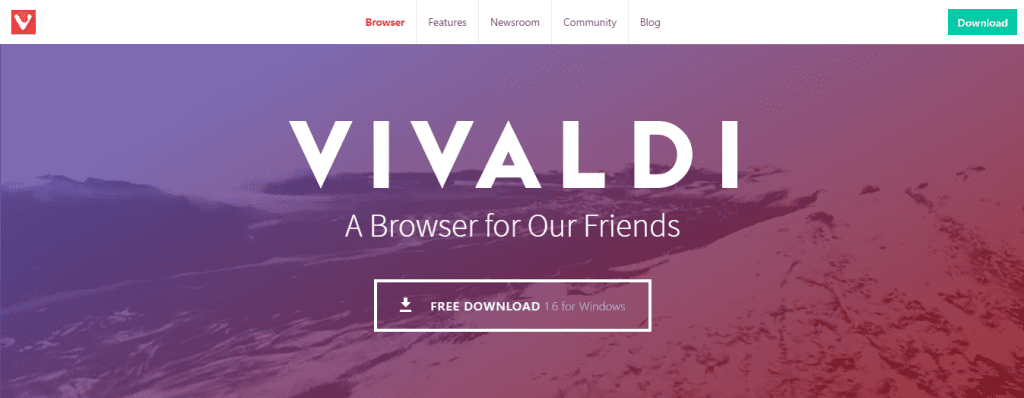
#2 Vivaldi VivaldiVivaldi

Named after Vivaldi, this browser was created by former CEO and co-founder of Opera Software Jon von Tetzchner (who left the Opera in 2011) and has several very exciting features allied to the latest technology.

The most recent version of this browser brings an interesting feature is a possibility to be integrated with the system Philips Hue smart lights, thus being the first browser to have this support. In this way, the browser color scheme can follow the one defined in the Philips system.

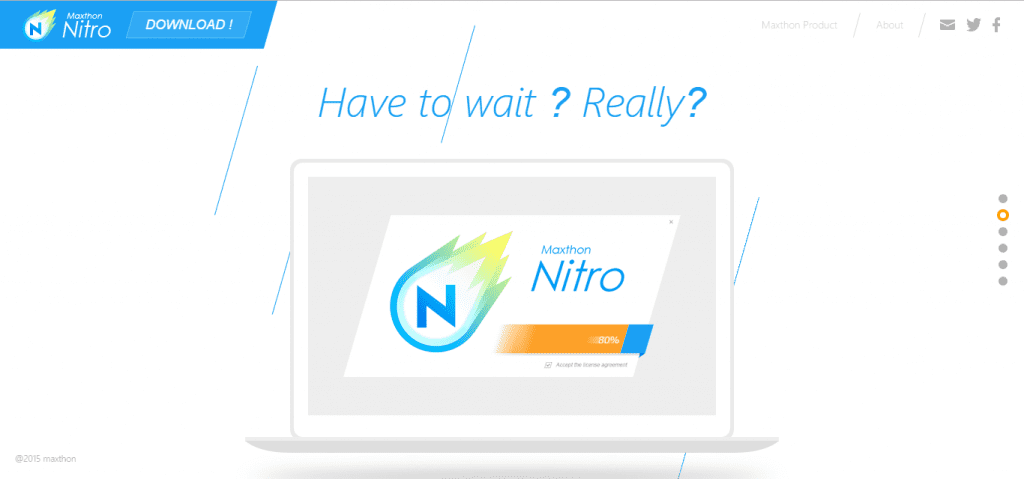
#3 MxNitro MxNitroMxNitro

The MxNitro, the Maxton is one of the fastest Internet browsers. It is not only the fastest to navigate and present web pages, but it is also the fastest to be launched and to be used.

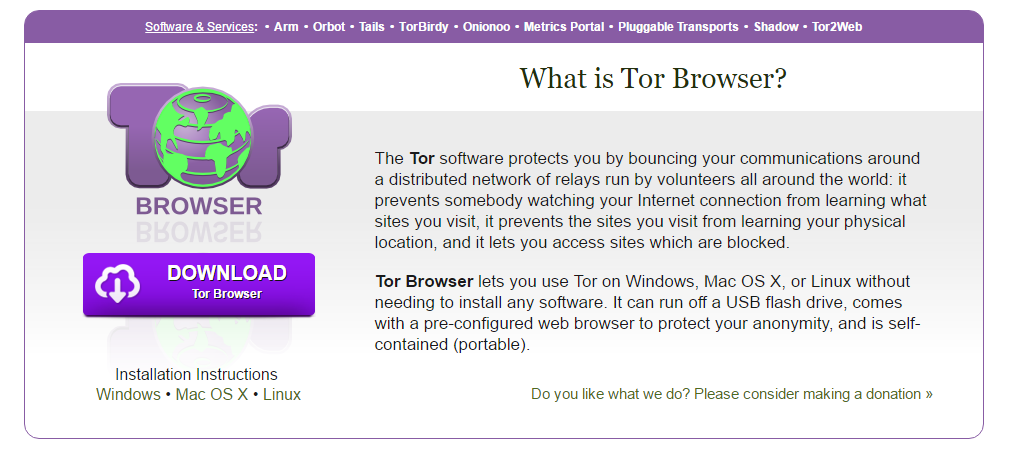
#4 Tor Browser Tor BrowserTor Browser

Navigating anonymously is not an easy task especially since everything we do gets registered. However, it is possible to "protect" our online privacy through additional tools that help us hide our identity.

For those who want to surf the Internet without a trace, the Tor Browser is undoubtedly the best solution.

#5 Torch TorchTorch

Torch is one of the navigators more popular than it has on the Internet, and that one stands out by complete it of its benefits. This browser comes with an integrated player, Media Grabber, (allows you to download videos and audio with a simple click), games, torrent manager and a touch facelift that allows, for example, to change the design of Facebook.

#6 Google Chrome Google ChromeGoogle Chrome

Google Chrome is the most used browser today. This browser haves all the skills needed to be best. Users can search and navigate from the same search box. You can find lots of extension in Chrome web store which make it easy for the users to try out new and awesome features.

The downside of this browser is, it consumes lots of resources. However, it provides a huge range of tweaks and settings to ensure maximum efficiency.

#7 Microsoft Edge Microsoft EdgeMicrosoft Edge

Microsoft Edge is the new browser built for Windows 10. Edge is faster, safer and gives you longer battery life. Stream 4K and take notes on web pages. This browser is super-quick and has an integrated reading mode which makes complex sites more palatable.

Microsoft has also ensured that their Edge browser don't suffer the security breaches which makes it more secure from its competitors.

#8 UC Browser UC BrowserUC Browser

UC Browser for PC allows users to enjoy smooth browsing with low data consumption. And our brand new security feature ensures a safe surfing experience by blocking potential sources of malware and viruses before they get a chance to load on your computer. This browser also has an inbuilt ad block feature and also provides best video and streaming and download experience.

#9 Mozilla Firefox Mozilla FirefoxMozilla Firefox

If you are looking for a good web browser for all-around performance, then Mozilla Firefox will be the best one for you. This browser is quite slow compared to its competitors, but it was one of the most used web browsers in the world.

#10 Opera (New Version) Opera (New Version)Opera (New Version)

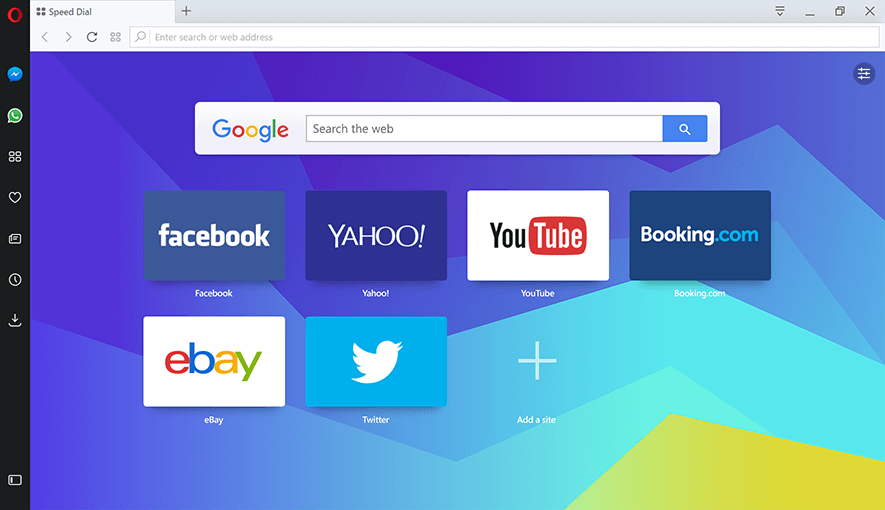
The latest version of Opera deserves to be on the list because it features a built-in ad blocker, battery saver, and free VPN. You can chat and browse at the same time using messengers in Opera because the Facebook Messenger and WhatsApp built into the browser itself.

Video:

So, these are the ten suggestions we had for today. The highlight for Torch that was a browser that we discovered recently and that is in fact very versatile and presents an excellent performance.

AUTHOR


Source: Top 10 Best Web Browsers 2017, You Should Install Right Now

Monday, July 3, 2017

10 Best Design Tools for UI/UX Designers

No ratings yet.

For UI and UX designers, one way to save time and still create great website design is through the multiple software tools available online. When you're in the development phase, it can become a headache when you don't have the right tools and wish you had something to help.

These 10 best tools for web designers can help find the right platform for any web development phase.

Type Scale type scale

type scale

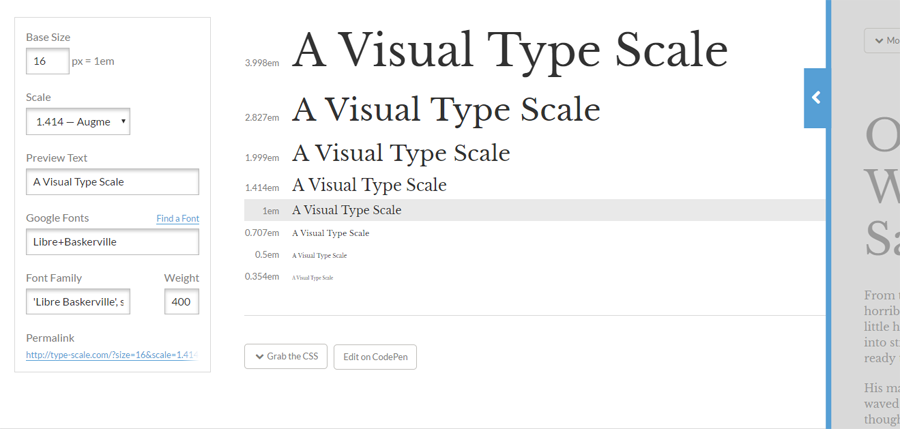
Type Scale is a visual typeface tool for UI designers where you can scale fonts and typefaces according to your website. It lets you preview the text using Google fonts and change the weight and font family to scale to a perfect fourth, minor third or golden ratio. The real time preview of the text size on the right column that allows you to see what it will look like on your screen. Type scale is a great UI tool for figuring out which font works best for your website.

Material Design Resizer resizer

resizer

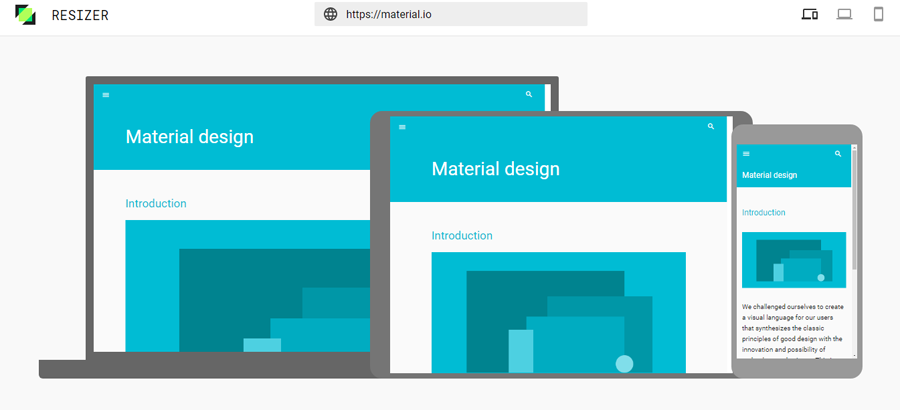
Material Design Resizer is a great tool for testing design on desktop, mobile, and tablet devices. To begin with, the resizer, type in your website and it will show you exactly as it looks across all devices. It's simple and effective. You can see all three screens on one screen. It saves you time and headache from switching screens or having to work on each one at different times. This UX tool helps with ease of use as you can navigate through all pages within each device.

Another feature easily switching from phone mode to tablet mode. In tablet mode, switch from portrait view to 720 or landscape at 1024.

UX Project Checklist UXproject

UXproject

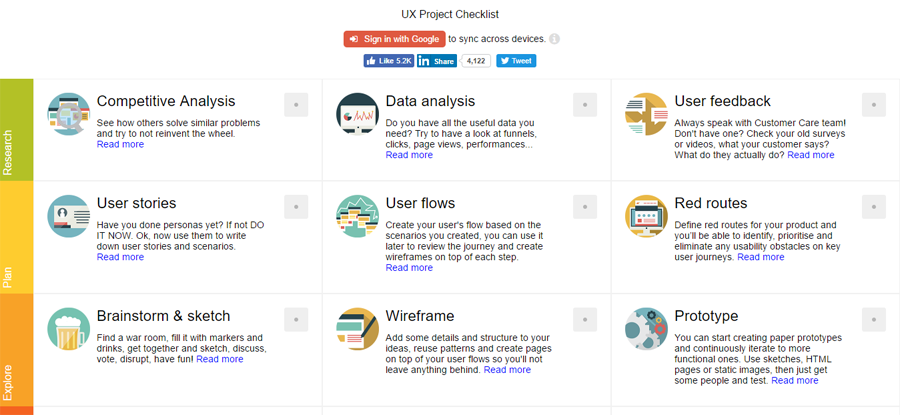
The UX Project Checklist is one of the most comprehensive online UX tools for UX designers.

The checklist is divided into 27 key sections:

  • Research
  • Plan
  • Explore
  • Communicate
  • Create
  • Give feedback
  • Finalize
  • Delight
  • Analyze
  • It combines some parts of the buyer's journey into the development phases. In the Plan stage, it asks if you've done your buyer personas and created user flows. As designers, it's more important to know who you're designing for before actual development begins.

    Web development can take months and with this checklist, you are sure to cover all the bases you need to finish a well-designed project.

    You can also sync across all devices with a Google account.

    Pttrns pttrns

    pttrns

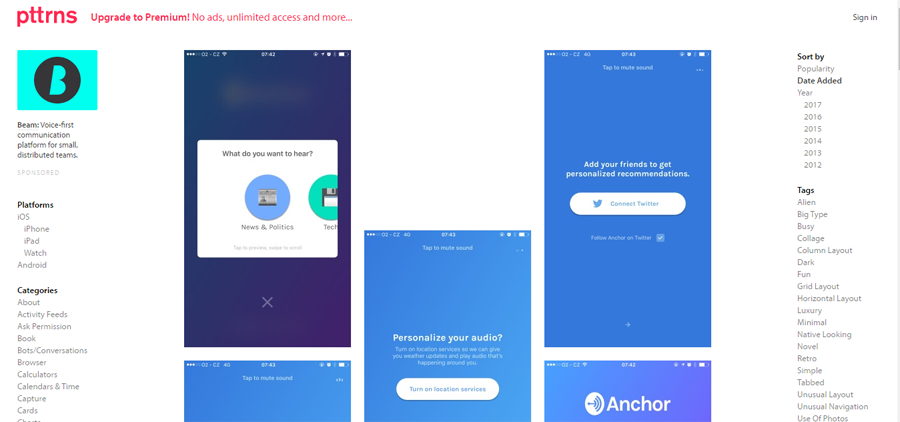
    Pttrns is helpful when brainstorming designs on mobile. It's divided by mobile platforms: Android, iPhone and iPads, and Apple Watch. The categories section provides multiple choices for deciding how the mobile design should look. For example,  for Airbnb, it shows their login page on the iPhone. This gives you an idea to design for comments, messaging, notifications, photos, sidebars, and a lot more within your mobile app.

    When you click on a category,  it shows a few design patterns you can implement on your mobile design. This is a great place to find ideas for your mobile development.

    UserTesting UserTesting

    UserTesting

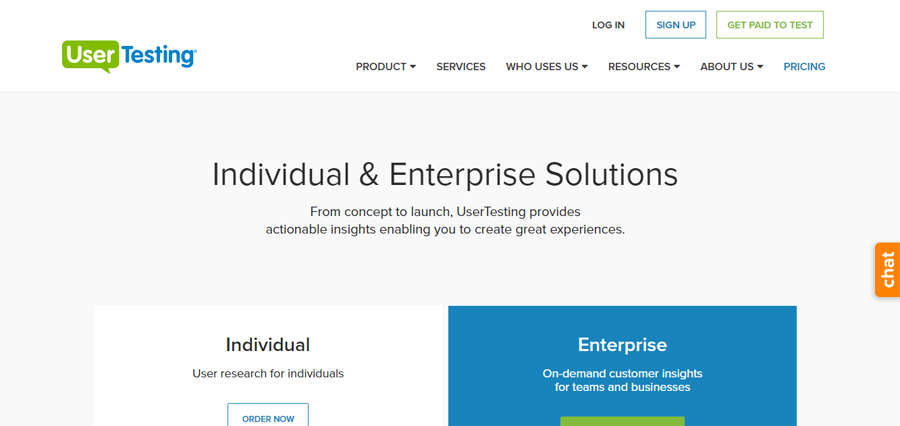
    One of the most important development phases is user testing. UserTesting gives you good insight on strengths and improvements to your website.

    UserTesting hires qualified applicants to test your website or app. With its individual plan, you can listen to the tester's thoughts and take that feedback to improve or strengthen components. On its Enterprise account, more features are given and provide a better way to enhance the user's experience. You get a project manager who helps with analysis and saves you time with researching and testing.

    GoodUI GoodUI

    GoodUI

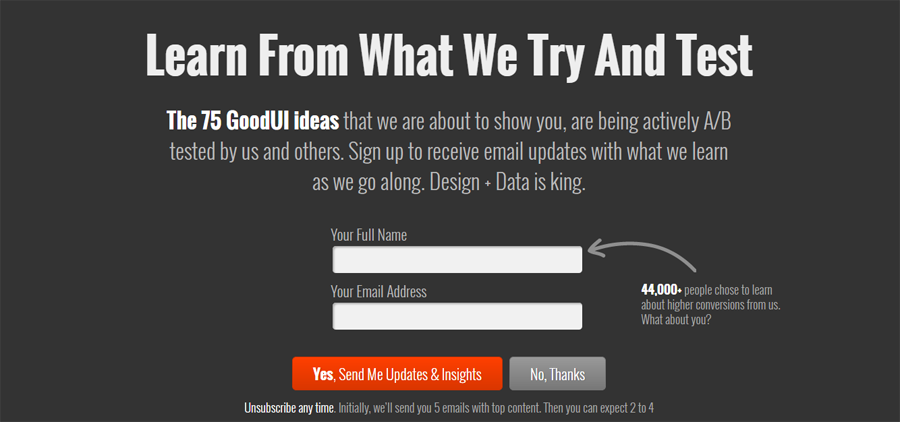
    GoodUI has good UI. They A/B test designs that work and build upon that. Some of the advice GoodUI gives if having one column instead of multiple column layouts. It saves the user distraction from what's important.

    They share and send you the latest UI tests they've done if you sign up to get updates. They'll give you measurable results from those tests and show you how to use them on your own.

    Mocksplus Mocksplus

    Mocksplus

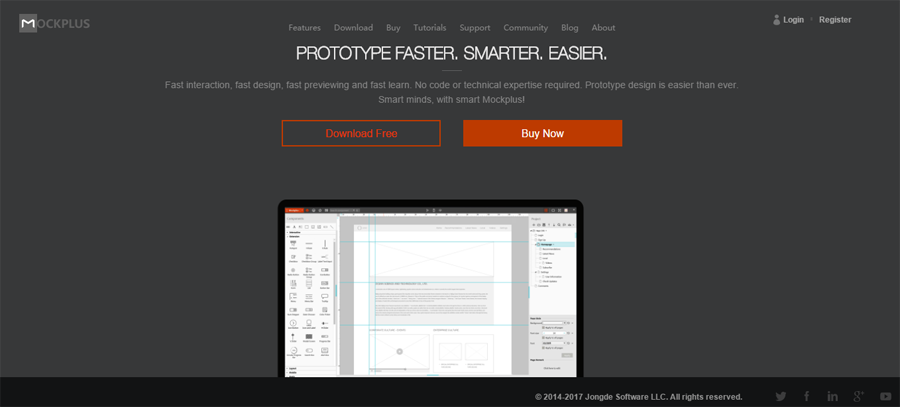
    Mocksplus offers no coding promise with its drag and drop design. Design a lot faster with its easy learning curve and code-free design.

    If you're looking to save time and still create good looking design, Mocksplus is the best tool for that. Whether you design on the screen is what you will see on your app or website.

    Mocksplus is one of the best on the market and used by many UX and UI designers.

    Marvel Marvel

    Marvel

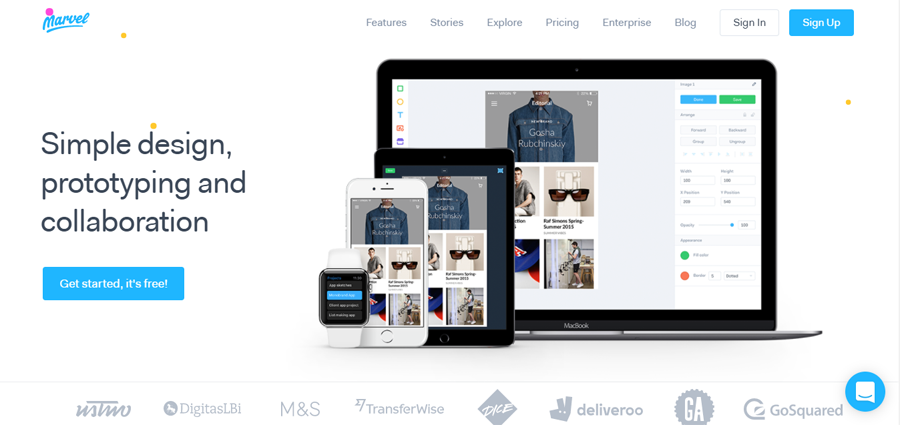
    Marvel might be one of the easiest prototype design tools today. It's easy to use features lets you use transitions in your design, navigate through your app or website.

    One of the best features about Marvel is its collaboration. You are able to comment on prototypes in real time, and share projects. Get feedback on your designs.

    Some useful features are syncing with Google Drive or Dropbox, importing designs from Photoshop or Sketch, previewing sample prototypes with its play feature. All aspects of web development are made easy with Marvel.

    Adobe Illustrator Adobe Illustrator

    Adobe Illustrator

    Adobe Illustrator is a free-form design tool used by many UI designers to create shapes, logos, and icons with its easy-to-use design. This vector graphic platform is the best way to create graphics for your website and add objects to photos.

    It easily integrates with Photoshop and Stock to allow you to add graphics to images or templates. Illustrator is the best tool when beginning to create vector graphic art. The learning curve is simple and you'll spend no time learning even the most advanced features.

    Sketch – available only on Mac

    Sketch

    Sketch

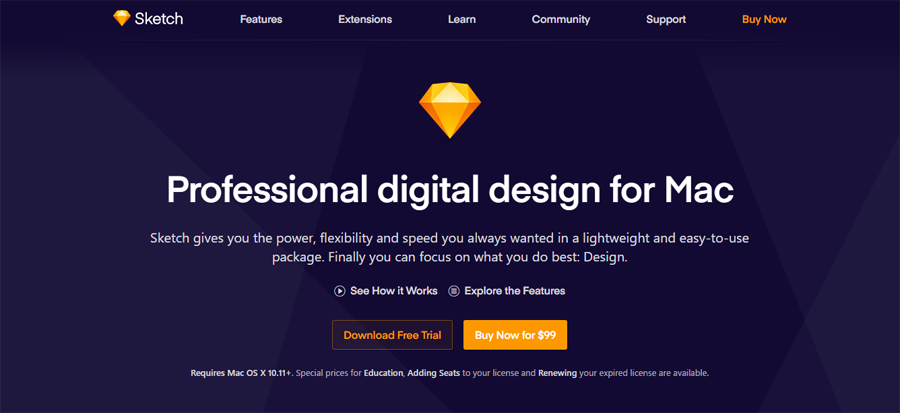
    Sketch is a top digital design platform used by many designers. Sketch's features include Precision, the Inspector, Tools, Exporting, Native, and Mirror.

    Create your designs using the Inspector, Sketch's place for sizing, blurring, and positioning, etc.. The Mirror feature combines all devices in real-time collaboration. If you create the design on your computer, you're able to look at the same design on your mobile device. This saves time and adds productivity to your day.

    Final say

    Web design is always evolving with new products and ideas coming out every day. Some can be improved while others are always on top. Online software tools make it easier for designers to work more productively and cut time in half.

    Which tools are you using? What are some of the best tools that aren't on this list?

    tm

    tm

    Rate this post


    Source: 10 Best Design Tools for UI/UX Designers

    Sunday, July 2, 2017

    Speeding up a Website – Mighty Travels Style

    Ad

    Speeding up a Website

    Publishing content with WordPress hardly seems like rocket science. Download the free software, then install and add some plugins and – voilà – that's it, right?

    Indeed it is when you initially get started and just have a few visitors to your site and very little content. However, once you have a few thousand posts and lots of related plugins and functions, your server will become a slow m ess. Now you can always upgrade to the biggest machine available but is that possible at a price point you can afford?

    At Mighty Travels, we went a different route and have been investing in several caching layers since day one. Although we now see 100 page requests per second, we still operate with the same hardware we did when we started. The amazing thing is that we consume only 10% of those same server resources and from our test page, load time is much faster than ever.

    Our goals have been to show a page (before any ads load) in less than 300ms on a fast connection and 2s on a slow connection…

    How did we do that?

    Cache layers are nothing new but adding too many makes it rather complex, as updates become tricky. It is easy to make sites that barely change VERY fast but it is a different beast with content that does change (and where content is being added on).

    Speeding up a Website

    1) Reduce the size of your page

    This sounds easy enough in the beginning and all it takes is to select a template in WordPress that has a smaller footprint. However, by the time you add pictures, content, comments and an advertising section, it often spirals out of control. 500KB sounds very little when you are on a 20Mbit connection but on a 1.5G connection it will take a looong time until it's loaded. Many websites push 10MB towards you when you load them i n a browser; now you can add a separate mobile interface but that would be one more design to create and maintain.

    So minimalist and adaptive design it is, to make the same website design work on both mobile and desktop.

    Speeding up a Website

    2) W3TC

    WordPress is composed of several layers working together – the MySQL database, the PHP from WordPress and server setting. Accessing a page takes CPU power and the computing takes time; the 200ms needed doesn't sound so much but that's added to the time a user needs to send and receive a request.

    Many of the bigger pages or archive pages need a 1-2s MySQL request to finish, so every page request already takes several seconds until loaded. Most visitors are not that patient and want the page at least partially loaded within one second.

    W3 Total Cache is really good at optimizing a request that hits your server and precompiled PHP, caches database queries in Memcache and enables browser caching. W3TC also minifies and compresses your content. A request is still served by your web server but in most circumstances it at least makes use of some cached data and pages can be constructed in less than 1s.

    3) Varnish Cache

    Ad

    W3TC is a good tool but still relies on a lot of computing to put together all the cached portions of your HTML. A better tool has long been in use by many system administrators – Varnish Cache. The open source software does only one thing, which it does really well – it saves and serves static content from the computer's hard drive.

    Even with big pages, the Varnish system is very good at looking up content in a few milliseconds and then serving it and it runs in front of your web server, with minimal CPU usage. If Varnish has the content cached, it will serve it in just a few milliseconds to a user and the system will barely register a request.

    Speeding up a Website

    4) Cloudflare

    Cloudflare works similar (the term used is reverse proxy) but it caches your content i n locations all around the world. This works without the Internet routers knowing where your content is located – they just sooner or later hit one Cloudflare machine that serves the content right away instead of hitting your server (the latter is what happens with Varnish).

    Cloudflare solves latency issues, as even the light takes 100-300ms to traverse around the globe (through all the fiber connections). A round-trip connection from Singapore to a US East Coast server is about 400-500ms and that's without any delay serving the content on a web server side.

    Most webpages are made of so many little pieces (that are dependent on each other) that the 500ms quickly add up to several seconds.

    Since Cloudflare has 120 data centers now, you most likely hit Mighty Travels content under 30ms. That's usually as good as Google data centers (they invested in their own local infrastructure many years ago). Google is usually the fastest site in each country because of its data centers with local content close to the customer (especially noticeable with YouTube files that are cached/not cached).

    Speeding up a Website

    5) Cache Definition and Pre-loading

    For each piece of content on Mighty Travels, we devised a length of caching by all these layers. The homepage is not a good idea to cache for a long time (since you all want to see updates) but static pictures generally won't change much for a long time.

    We also pre-load all important files constantly into the cache layer, even before the expiration, to improve the customer experience (since you never want to loa d the content first and see a request run through all the layers).Speeding up a Website6) Make sure Updates work

    If all this sounds complicated, that's because it is. Several caching layers can be perplexing even to experienced system admins, as it is hard to track down which layer did not update or shows stale content. You also want to make sure that updates are propagated quickly and that the homepage changes at the press of a button, although you are actually updating hundreds of web servers around the globe in real time.

    Speeding up a Website

    7) Maintain it

    Every update of WordPress (like the last one, Version 4.8) has the potential to influence how this system works in parallel.

    Is it worth it?

    We are all spending a lot of time online and the one thing we all feel is that slow pages are the death sentence of online content. Nobody has the patience to wait longer but a stable site that loads fast is one that I bookmark or add to my IFTTT RSS Feeds.

    Ad
    Source: Speeding up a Website – Mighty Travels Style

    Saturday, July 1, 2017

    Website Design Wales

    Websites Wales Website Design Wales

    333 Websites are a Welsh Website Design Company, offering Website Design Wales services to Welsh Startups & SME's.

    You can buy their Website Design Wales services online now from just £333 (plus £33 per month for hosting, security, support and unlimited updates and emails).

    About the Website Design Wales Company
  • They are a Website Design Wales Company, based in Cardiff, Newport & Caerphilly in South Wales, UK that covers all of Wales (and the rest of the United Kingdom including England, Ireland & Scotland).
  • They are a Website Design Wales Company who's tech team have designed and developed over 2,000 Websites for Business in Wales & the UK
  • They offer a Welsh based Project Manager to work on the design & development of your new business website in Wales.
  • They offer unlimited Wales based support for your Welsh web design requirements.
  • They give you a Free .co.uk domain name for your new Welsh web designed & developed website.
  • They supply secure web hosting via a data centre in London, England for your website.
  • They have a great Web Design Wales & Web Development Wales Team, that will work on your new website.
  • About the Website Design Wales & Web Development Wales Team

    The 333 Web Design Wales team (Sales & Customer services) – a team focused on delivering your websites, setting them up, answering your questions, creating email accounts, billing and all things technical to do with your website. Their UK Website Team is here to help you out with your sales, development and customer service queries during normal business hours.  This team is headed up by MD Mike Armstrong who is contactable on 07517 024979 / info@333websites.co.uk although for technical support you might also want to try support@333websites.co.uk.

    Web Marketing Specialists & SEO Specialists in Wales – The Team includes SEO specialists that can work with you on strategies that can ensure your website gets found in the search engines and starts providing a return on your investment.

    Graphic design team in Wales – the graphic designers are here to create company logos, web banners, business cards, company letterheads, fantastic imagery and everything else that you and your new website will need to ensure that you stand out from the crowd including your competitors.

    Linux technical team (hardware and software) – they have a team of people who administer our servers, they monitor, secure and upgrade the servers, solve software technical issues, and generally ensure that the server is working at its optimum best so that your websites and emails work all the time. This team operates 24/7 and are based at the data centre in London, England.

    "The 333 Websites, Website Design Wales Team will work with you on your new Website"

    UK Websites

    What their Websites include:
  • The Web design Wales websites are built on WordPress.
  • The Web design Wales websites are designed and developed tailored to your specific requirements.
  • The Web design Wales websites are Responsive Websites and are Mobile Friendly Websites.
  • The Web design Wales websites come with unlimited support & unlimited email addresses.
  • The Web design Wales websites have an integrated blog which they will link to your social media accounts (Twitter, Facebook, LinkedIn & Google+) for added search engine optimisation and web marketing benefits.
  • You can buy your new website online now via the link.

    Welsh Websites         |          Web Development Wales          |          Web Designers Wales          | Websites Welsh Websites Websites Web Development Wales Websites Website Designers Wales

    The Website Design Wales post was written "By Mike Armstrong".

    Advertisements
    Source: Website Design Wales